6 min readRaúl Calvo Laorden (r4ulcl)
A new chapter, a new academy
WiFiChallenge Academy becomes SecurityPaths Academy: courses, labs and exams in one place, with new study tools and more cybersecurity topics to come.
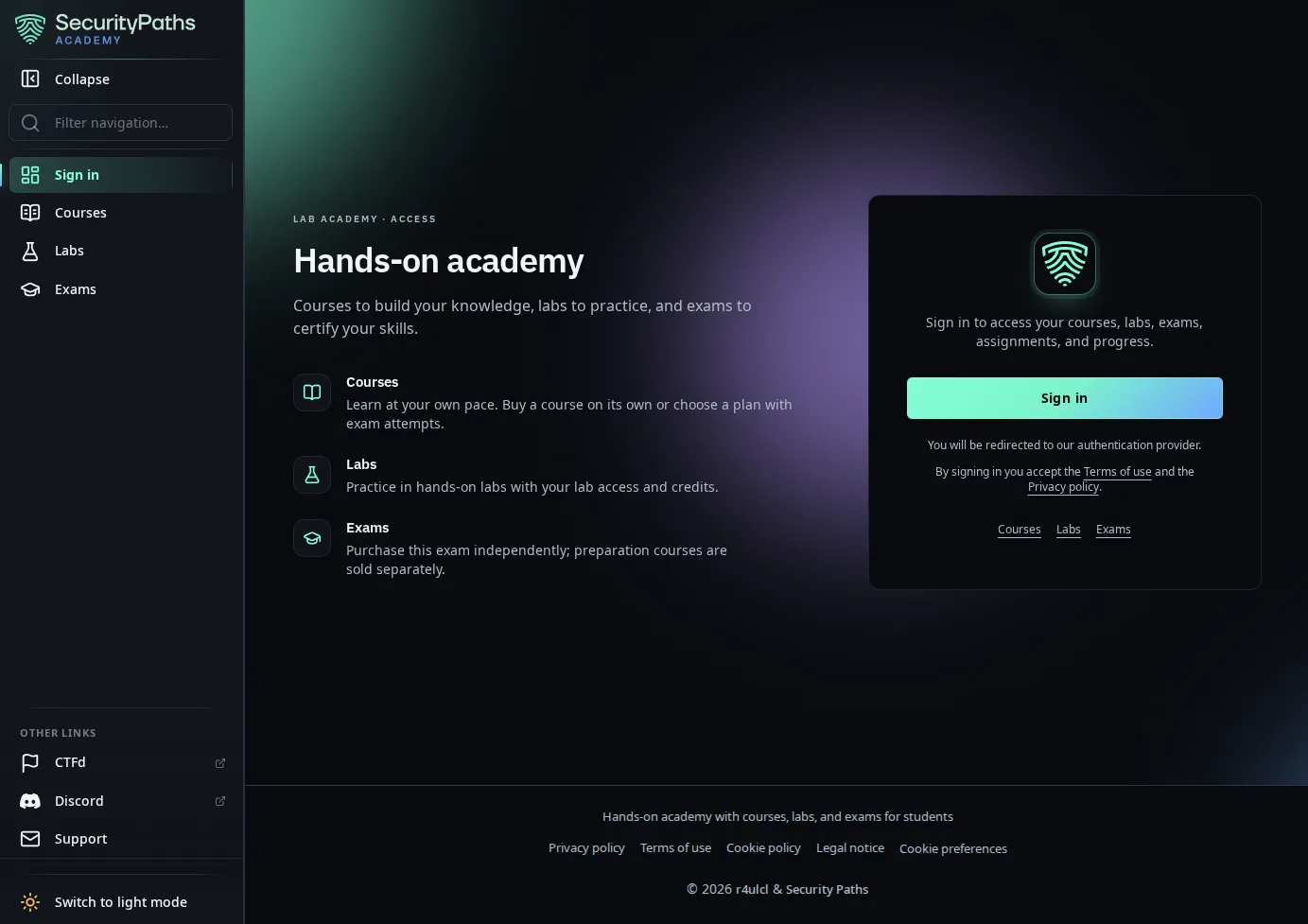
I've been working on the new platform throughout this year, and I'm very excited to share it today. What started as a tool to support exams and launch labs from the browser has grown into something much bigger: a platform that brings courses, labs and exams together in one place.
And it all comes with a new name: SecurityPaths Academy!
The short version: SecurityPaths Academy brings together WiFiChallenge for Wi-Fi security and Recon for reconnaissance. More learning paths will follow.
What's new?
From WiFiChallenge Academy to SecurityPaths Academy
The change combines a new platform with a broader training project. These are the names you'll see from now on:
| Name | What it means |
|---|---|
| SecurityPaths Academy | The new platform, bringing courses, labs and exams together in one account. |
| WiFiChallenge | The Wi-Fi security learning path within SecurityPaths Academy, including the Certified WiFiChallenge Professional (CWP) course, WiFiChallenge Lab and the CWP exam. |
| Reconnaissance | The reconnaissance learning path, starting with Recon Zero to Hero, the Certified Recon Professional (CRP) course. |
| Old WiFiChallenge academy (Thinkific) | The previous course platform. When this article refers to the "old academy", this is what it means. |
This structure lets me go beyond Wi-Fi security and publish courses and labs on other areas of cybersecurity that I'd also like to teach. It also opens the door to working with experts from different specialisms to create the best courses we can.
- CourseCWP Course
- LabWiFiChallenge Lab
- ExamCWP Exam
- CourseCertified Recon Professional (CRP)
- Lab13 practical challenges
- ExamCRP Certification Exam
- New topics
- New courses and labs
- Expert collaborations
WiFiChallenge continues to offer its complete Wi-Fi security journey (course, lab and exam) within SecurityPaths Academy.
How to get started
If you were already a WiFiChallenge Academy student
- Open SecurityPaths Academy and go to the sign-in screen.
- Use the forgotten-password option with the same email address you used in the old academy to set a new password.
- Sign in with that email address and your new password to access your migrated courses.
If you haven't received the migration email, have trouble signing in or can't find your courses, contact support.
If this is your first visit
- Browse the academy catalogue to see the available courses, labs and exams.
- Visit SecurityPaths Academy and follow the account creation process from the platform's sign-in flow, using your email address.
- Choose the course, lab or exam you're interested in and review its access conditions before starting. Course and exam pages explain their purchase conditions; you'll need credits to start a lab.
Course platform (LMS)
The academy is moving away from Thinkific as its main platform. All courses have been moved to the new platform, together with existing accounts and course access.
If you're already a student, this means:
- Your account and course access have been migrated. You should have received an email with the details.
- Your course progress does not carry over. The old academy will remain available for at least one more year, so you can continue from where you left off.
- The old academy will no longer receive updates or accept new purchases.
- Certificates stay on the same system, so nothing changes there.
The new platform also gives you more ways to work with the material:
- Highlight content you want to revisit.
- Add personal notes alongside the course.
- Search across the entire course instead of navigating lesson by lesson.
To sign in with your migrated account for the first time, follow the steps for existing students.
Labs
The new platform offers several connection options, depending on the lab:
- RDP and SSH in the browser: access a remote desktop or terminal without leaving your browser.
- Public IP addresses: access lab services directly, such as a website.
- VPN: connect to the lab's private network to access its resources.
WiFiChallenge Lab and the anniversary Wi-Fi challenge are available to all accounts, even if you haven't bought the CWP course. You can access these labs from your account; running them consumes credits.
Labs run on credits, with the cost shown before you start:
- Each running lab uses a set number of credits per hour.
- Some labs let you stop the machine and keep its disk, charged proportionally each minute at a rate shown per 24 hours.
- Choose a one-off credit purchase for occasional practice or a subscription if you plan to use the labs regularly. Check prices and purchase options in SecurityPaths Academy.
Launch credits and expiration
To help you get started with the platform, these credit bonuses will be assigned:
| Who receives them | Free credits | Expiration |
|---|---|---|
| Students who already owned the WiFiChallenge course before the launch | 20 credits as a one-off bonus | 1 year after they are assigned |
| New course purchases during Black Friday | 10 credits per course purchase | 1 year after they are assigned |
2 free credits every week for everyone
At the launch of SecurityPaths Academy, every user will receive 2 free credits each week, whether you already own a course or have just created an account. Each weekly allocation expires 2 weeks after it is assigned, so unused weekly credits do not accumulate indefinitely.
These weekly credits are separate from the course bonuses above: the 20-credit bonus for existing students and the 10-credit bonus per course purchase during Black Friday each remain valid for one year.
Here is what a simple WiFiChallenge Lab session looks like:
| Lab state | Time | Credit cost |
|---|---|---|
| Running | 2 hours | 2 credits |
| Stopped, disk kept | 24 hours | 2 credits |
| Total | 4 credits |
That means you can stop WiFiChallenge Lab, return the next day and continue without losing your files or settings.
Exams
The exam system is also being updated. The system migration will take place on December 1, 2026, but the exam cut-off date is January 1, 2027. Your scheduled exam date determines which platform you will use:
- Exams scheduled before January 1, 2027, including those in December 2026, remain unchanged in the old system.
- Exams scheduled for January 1, 2027 or later move to the new academy.
- In the new Exams section, you can view, modify or postpone your bookings.
Solutions for businesses
The new platform also offers management accounts for teams. They make it possible to:
- Check each student's progress.
- Purchase licences together.
- Assign those licences to the right people from one place.
If you'd like more information about these options for your team, contact us.
Certified Recon Professional (CRP)
I've teamed up with Alexis Fernández (six2dez) to launch Certified Recon Professional (CRP). The Recon Zero to Hero course covers reconnaissance fundamentals, OSINT and attack surface mapping, with 13 practical challenges and an emphasis on verifying findings and documenting evidence. It's available in English and Spanish. The practical certification exam will open later.
A new beginning
I'm very happy to introduce this platform and share everything that's coming, both over the next few weeks and in the years ahead.
To take the next step:
- If you were already a student, follow the steps to access your migrated account.
- If you're new here, explore the academy catalogue and follow the steps to create your account and get started.
- If you want to practise in a lab, check its rate and your credit balance before starting it.
Thank you for supporting the project so far. I hope we can keep growing together.
r4ulcl - Raúl Calvo Laorden